
Keywords
Learn how RankPine prioritizes keywords. Review search metrics, add topics, remove unwanted suggestions, and manage your publishing queue.
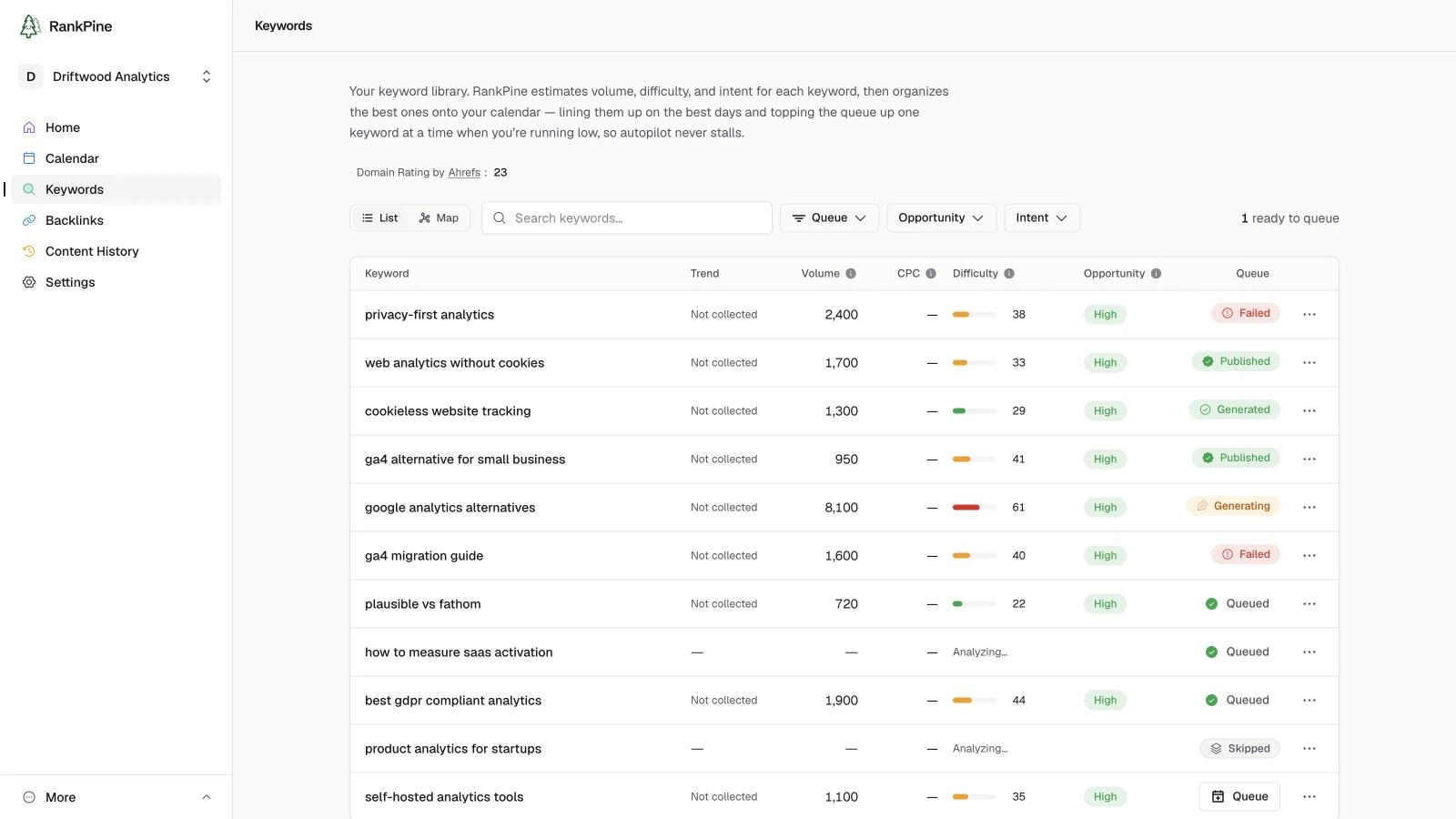
Keywords are the topics RankPine turns into articles. It researches and scores them for you, but you stay in control: queue specific keywords, add your own, or let it manage the whole queue. Find these under Keywords in your dashboard.
Where keywords come from
RankPine layers several sources, strongest first:
- Keyword research data — search volume, difficulty, and intent.
- Google Search Console — your real impressions and positions, when connected. The keywords you're closest to ranking for get priority.
- AI research — competitor gap analysis and topic ideas from your niche.
Where these overlap, your real GSC data wins.
What each keyword shows
| Column | Meaning |
|---|---|
| Keyword | The search term. |
| Intent | Informational, Commercial, Transactional, or Navigational. |
| Volume | Estimated monthly searches. |
| Difficulty | How hard it is to rank (0–100). |
| Status | Planned, In progress, Done, or Skipped. |
Steering the queue
- Queue a keyword — sends it to the end of your content calendar as a planned article.
- Add your own — paste a batch of keywords (comma- or line-separated). RankPine de-duplicates them and fills in volume and difficulty automatically.
- Remove — take a keyword out of the library; you can add it back later.
Monthly keyword adds
You can hand-add up to 50 keywords per site each month. The allowance resets on the 1st. (This is separate from the 30 articles a month your plan writes.)
Let RankPine manage it
If you'd rather not curate the queue, leave Auto-fill the queue on (under Autopilot & schedule). RankPine lines up the strongest keywords on the best days and generates fresh ones when you're running low, so autopilot never stalls. Turn it off to manage the queue entirely yourself.
Competitors & audiences
Set competitors and target audiences in RankPine. Guide keyword research with relevant sites and shape articles around the readers you want to reach.
Autopilot & schedule
Set RankPine’s publishing schedule and choose autopilot or manual review. Learn how the keyword queue, article generation, and approval fit together.