
Articles & the editor
Follow a RankPine article from planning to publishing. Review drafts, edit articles, republish changes, and export your finished content.
Every article moves through a simple set of states, and you can step in at any point to edit, approve, or export it.
The lifecycle
| State | What it means |
|---|---|
| Planned | Scheduled on your calendar from a keyword, not started yet. |
| Writing | Being researched, drafted, edited, cited, and illustrated. |
| Ready | Finished and waiting — to publish (autopilot on) or for your review (autopilot off). |
| Published | Live on your website. RankPine uses the CMS URL or your Blog address plus the slug. |
| Failed | Something went wrong; shown with a reason and a retry action. |
| Archived | Removed from the active queue but kept in your history. |
With autopilot on and a CMS connected, articles flow from planned all the way to published on their own. Without a connected CMS, or with autopilot off, they stop at ready until you publish them.
Each language version of an article is a real article in its own right, with its own state in this table — so one can be published while another is still writing, and one failing doesn't affect the others.
Finding your articles
- Calendar — your dashboard home shows a month view of planned, writing, ready, and published articles. Drag to reschedule.
- History — a searchable, sortable list of everything written, with word count and SEO score.
- Click any article to open it.
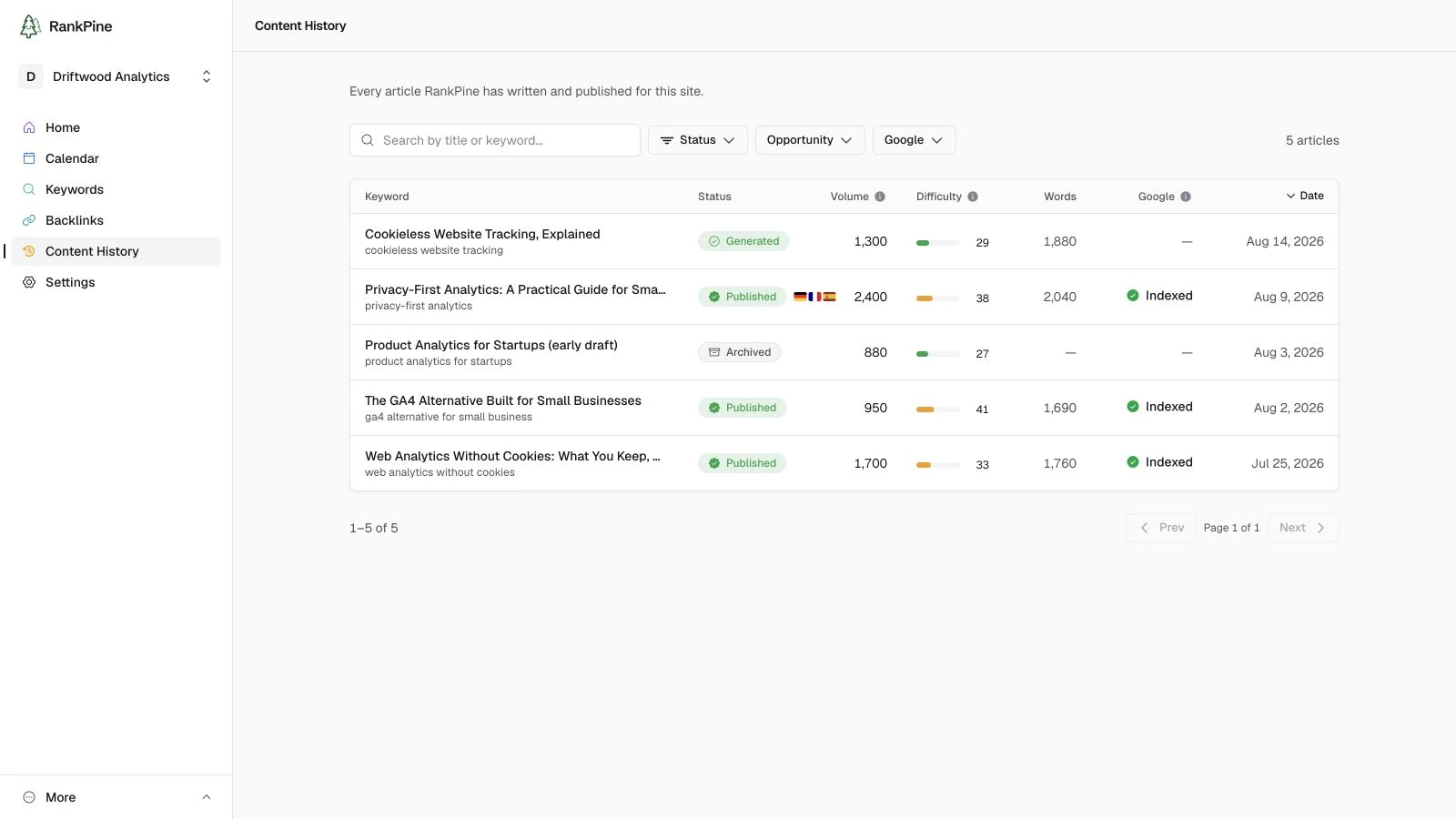
If your site publishes in several languages, a topic stays a single entry in both places, with small flags showing which languages it covers. Open it and use the language switcher to reach a specific version.
The editor
Open an article to read and refine it in a clean, what-you-see-is-what-you-get editor.
- Edit inline — click into the text and type. Select text for a small toolbar (bold, italic, link, and so on). Changes save automatically.
- Language versions — on a multi-language site, a switcher next to the status shows every version and its own state, so you can see at a glance that the English one is done while the German one is still writing. The one it was written from is marked Original.
- Slug & meta description — edit them in the sidebar. The meta description has a 160-character target with a live count. Editing these re-scores the article.
- Rewrite with AI — ask for a change (e.g. "make the intro punchier") and RankPine proposes a rewrite as a diff you can Apply or Discard — nothing changes until you accept it.
- Featured image — preview it in the sidebar and Regenerate if you'd like a different one.
The SEO scorecard
The sidebar shows an SEO score and a checklist — keyword in title, meta description length, heading structure, keyword density, reading time, and more. Each check is pass / warning / fail with a short explanation, so you can see at a glance what's strong and what to tweak.
Approving & publishing
- Autopilot on — nothing to do; ready articles publish on schedule.
- Autopilot off — open a ready article and click Approve & publish to send it to your connected CMS.
- No CMS connected — publish the article yourself, then click Approve & publish. RankPine derives its URL from the site's Blog address and the article slug.
- Unpublish, Archive, or Retry (for failed articles) are available from the article's actions menu.
- Multi-language sites — each version publishes separately as its own post, as soon as that version is ready. They don't wait for each other.
Republishing changes
Editing a published article saves your changes in RankPine. To send those changes to your website, wait for Saved, then click Republish at the top of the editor, beside View live. The button stays disabled while edits are saving. RankPine shows whether the update succeeded, failed, or was saved as a CMS draft.
Republish appears when the article was previously delivered through a connection that supports updates: WordPress with the RankPine plugin, Webflow, Shopify, Wix, GoHighLevel, Framer, Strapi, Odoo, Hosted Blog, or Webhook / REST. It updates the article's existing destinations; connecting another integration does not copy old posts there. Each language version is republished separately.
For Webhook / REST, RankPine resends
the saved article with the same article.id. Your receiver must update the
existing post using that ID. For a connection without republishing support, edit
the live post directly in your CMS.
Exporting
Every article is yours to take anywhere. From the article sidebar:
- Copy Markdown — copies the article to your clipboard.
- Download as Markdown (
.md) or Download as Text (.txt).
Markdown is RankPine's source of truth, so the export is the canonical version of the article — links, headings, and structure intact.
Everything you publish stays yours
Articles are yours to keep, edit, and use however you like — even if you later cancel.
Autopilot & schedule
Set RankPine’s publishing schedule and choose autopilot or manual review. Learn how the keyword queue, article generation, and approval fit together.
REST API overview
The RankPine REST API — programmatic access to keywords, articles, Search Console data, and generation, built for scripts and autonomous AI agents alike.