
Autopilot & schedule
Set RankPine’s publishing schedule and choose autopilot or manual review. Learn how the keyword queue, article generation, and approval fit together.
Autopilot is what makes RankPine hands-off. These settings live under Settings → Publishing and save automatically.
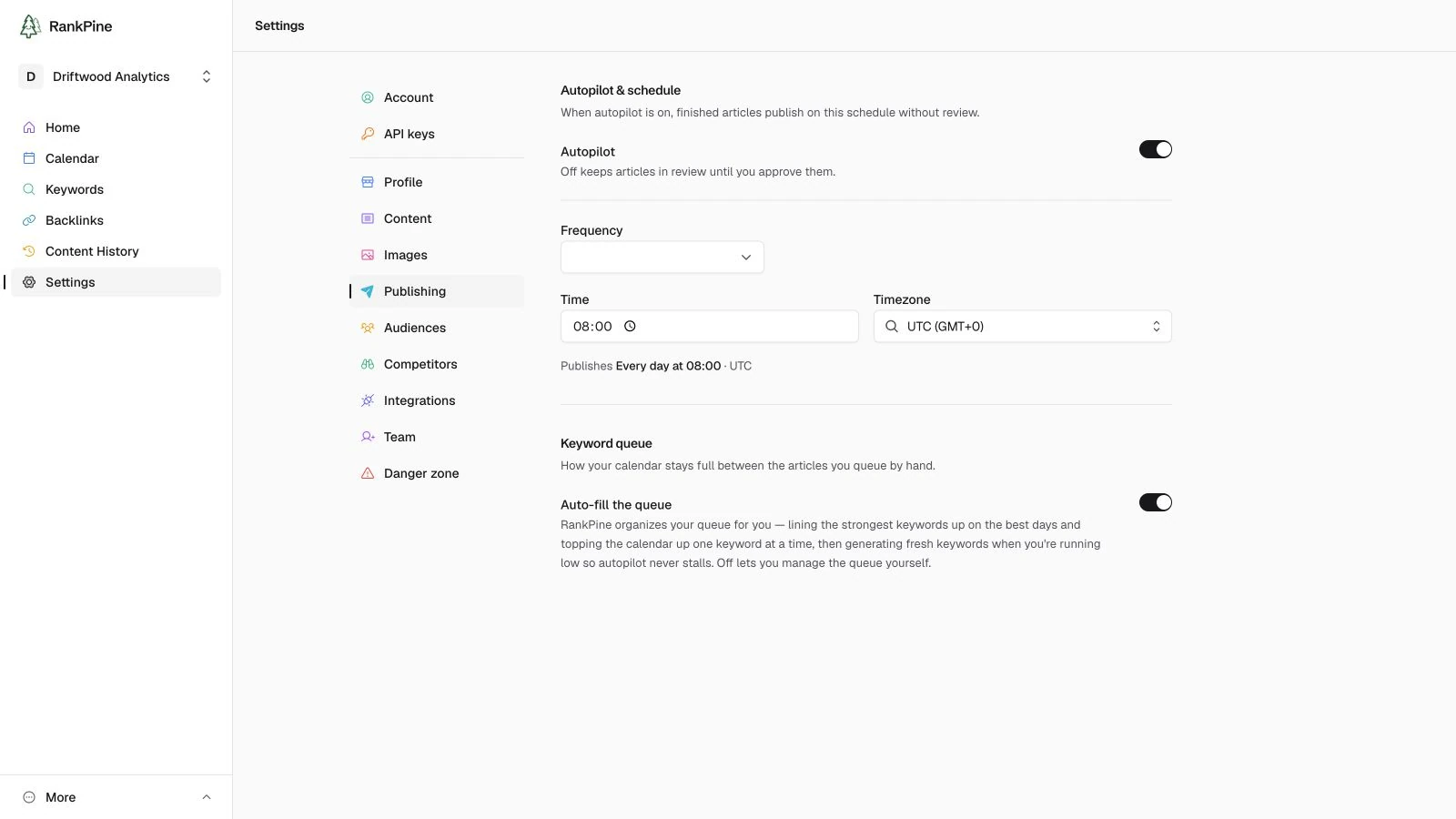
Autopilot
The single switch that decides what happens to a finished article:
- On (default) — finished articles publish to your connected CMS automatically, on your schedule. Fully hands-off.
- Off — finished articles stop in review and wait for you to approve them. Nothing publishes until you say so. Turning it off also pauses and opts the site out of the backlink network, because RankPine cannot promise or verify placements without a public publishing path.
Autopilot is per-site
Each site has its own autopilot setting, so you can run some sites fully automatic and keep others under manual review.
Schedule
When autopilot is on, you choose when articles publish:
- A time of day (in your timezone)
- The days of the week to publish on
RankPine plans roughly one article a day, up to 30 a month, and publishes ready ones at the time you set. Spreading publishing across the week often looks more natural than dropping everything at once.
Keyword queue auto-fill
Also here is Auto-fill the queue:
- On (default) — RankPine keeps your calendar full: it prioritises the strongest keywords, tops up the calendar one keyword at a time, and generates fresh keywords when you're running low so autopilot never runs dry.
- Off — you manage the keyword queue yourself.
How it fits together
Plan
Keywords are scheduled onto your calendar (automatically, or by you).
Write
Each planned article is researched, written, and edited.
Publish or review
With autopilot on, the finished article publishes at your scheduled time. With it off, it waits in review for your approval.
Keywords
Learn how RankPine prioritizes keywords. Review search metrics, add topics, remove unwanted suggestions, and manage your publishing queue.
Articles & the editor
Follow a RankPine article from planning to publishing. Review drafts, edit articles, republish changes, and export your finished content.