
Content & tone
Control how long each article runs, how it sounds, and the quality passes that set RankPine's output apart.
These settings live under Settings → Content and shape the writing itself. Everything saves automatically.
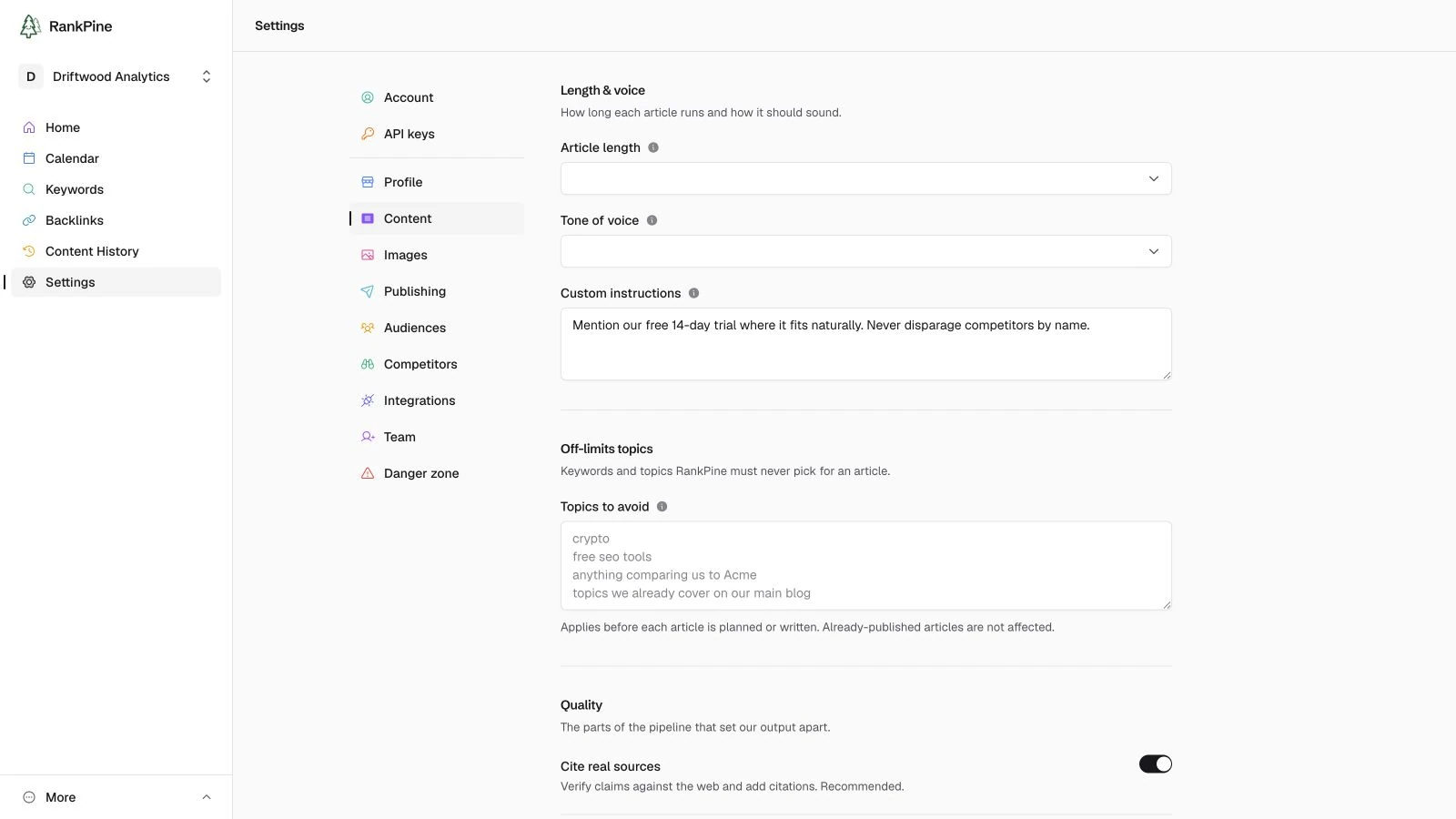
Length & voice
Article length
Roughly the target word count for each article:
| Option | Target |
|---|---|
| Short | ~1,000 words |
| Balanced (default) | ~2,000 words |
| Comprehensive | ~3,000 words |
Longer isn't always better — a focused, well-targeted article often outperforms a padded one. Balanced is the right default for most sites.
Tone of voice
Pick a preset that matches how you talk to your customers:
- Professional (recommended)
- Casual
- Friendly
- Authoritative
- Playful
- Technical
- Custom — choose this to describe your own voice in a sentence, e.g. "Dry, a little irreverent, never corporate."
Custom instructions
House rules appended to every article for this site. Use them for the things a tone preset can't capture:
- "Always mention our free trial."
- "Never use first person."
- "We sell to enterprise IT — assume a technical reader."
Keep them short and rule-like. They're followed on every article.
Quality
These are the passes that make RankPine's output worth publishing. Both are on by default, and we recommend leaving them on.
Cite real sources
Verifies claims against the web and adds citations, so articles are trustworthy and never make things up.
Add internal links
Links to your own existing pages, discovered from your sitemap, so each article strengthens the rest of your site.
Internal links need a sitemap
Internal linking uses the pages found via your sitemap URL in your site profile. If you haven't set one, add it so RankPine knows which pages it can link to.