SEO Keyword Map: Match Topics to URLs

Publishing content on a daily schedule accelerates organic growth, provided those articles point in distinct directions. When a website publishes at volume without a routing plan, multiple pages overlap and target the same topic, confusing search engines and dividing the site's authority. An SEO keyword map prevents this overlap. It acts as an editorial control layer, assigning each topic an owner URL, a search intent, an estimated funnel stage, and a set of useful supporting pages.
Building this map gives you a pre-publication check. Before a new article enters the automated publishing queue in a platform like RankPine, the map helps you decide whether to create a new URL or assign the topic to an existing page.
Before assigning topics, inventory your relevant live URLs and note their current purpose. Then, gather your candidate queries from market research or a brainstorming session, and make sure you can access your Google Search Console account to check which pages Google shows for your queries. With those elements in place, you can build a system that turns scattered content ideas into a disciplined publishing workflow.
How an SEO keyword map organizes topics
A standard flat keyword list presents hundreds of phrases as separate targets, often leading you to believe every variation requires a unique page. A functional map operates differently by organizing content into intent clusters, grouping closely related queries under a single searcher task.
Keyword mapping groups keywords into topics and assigns those topics to pages, rather than matching each exact phrase to a separate URL. In practice, close phrasing variants and related queries belong on the same page when they share the same or similar intent, as Ahrefs recommends grouping similar-intent keywords and assigning that group to one page. Treating topic ownership as an editorial convention keeps your publishing schedule focused on answering distinct needs.
Distinguishing search intent from funnel stage clarifies what a page should deliver. Intent describes exactly what the user wants from the result, whether that is a definition, a tutorial, a product comparison, or a checkout page. Funnel stage is an editorial estimate of the reader's readiness to make a decision. Grouping by intent dictates the page format, and tracking the funnel stage prevents you from forcing aggressive commercial pitches into purely informational guides.
Gather the inputs before assigning topics
A structured spreadsheet serves as the central record for topic ownership. Setting up the right columns prevents redundant work later, especially when the map feeds directly into your SEO content brief template for automated writers. Start by creating a blank tracking document with specific minimum viable fields.
Set up your core columns to track the query group, the primary target query, the closely related variants, the search intent, the funnel stage, the assigned owner URL, and the required action. The action column dictates whether the next step is to create a new page, update an existing one, retain the current page as is, or investigate performance overlap.
If you manage a daily publishing workflow, you will benefit from a few additional columns. Track the supporting URLs to define the intended internal link relationships, and note the required page format and content promise to give automated generation tools clear boundaries. Include a business relevance column to define the logical next step for the reader. If you rely on competition metrics or feasibility evidence, record the data source and the year to keep those estimates verifiable, marking any unresearched traffic estimates as assumptions until you validate them against live search results.
Assign topics to URLs in four steps
Matching a topic to a URL requires checking the searcher's task against your site's current inventory. The goal is to give every distinct topic exactly one authoritative home on your domain.
1. Group queries by the task behind them
Start by consolidating your raw list of candidate queries, looking past the specific words to identify the underlying problem the searcher expects to solve. When multiple queries ask for the same outcome, group them together as a single topic cluster.
A query like "how to build a keyword map" shares a task with "keyword mapping spreadsheet tutorial," and creating separate pages for these phrases creates unnecessary competition within your own site. Consolidate them into one row in your spreadsheet. Setting a baseline rule for how many keywords per blog post you target helps limit this sprawl, keeping the page focused on one primary task while incorporating natural variations.
2. Check intent against current results
Your estimate of a searcher's intent requires validation. Open a private browsing window and review the current search engine results for your primary query, because the formats of the top-ranking pages provide diagnostic clues about what search algorithms reward for that topic.
If the results for two different queries surface the exact same set of detailed how-to guides, those queries likely share an intent and belong on the same URL. If one query surfaces introductory blog posts and another surfaces interactive software tools, the tasks differ entirely. Use live results as a diagnostic check rather than an unbreakable rule. Search results fluctuate, but the dominant page format rarely shifts without a change in user behavior.
3. Choose one owner URL
With the topic clustered and the intent validated, assign the topic to a specific URL by reviewing your live page inventory. If an existing URL already covers the broader topic but lacks specific depth, assign the new query group to that existing page.
Update the existing page when its scope or formatting needs improvement to satisfy the searcher's task. Create an entirely new URL only when the query group represents a distinct, standalone task that your current pages cannot answer without losing their original focus. If a topic falls outside your site's core expertise, skip it rather than publishing thin content.
4. Record funnel stage and next action
Log the final decisions in your map, recording the estimated funnel stage independently of the search intent. Use the funnel stage to determine the appropriate call to action, since an awareness-stage guide requires a different next step than a decision-stage product page.
Assign a concrete action to every row: create, update, retain, or investigate. The provisional map below illustrates how to record these planning suggestions before committing them to a publishing calendar.
| Topic / query group | Likely intent | Funnel stage | Proposed owner URL and role |
|---|---|---|---|
| SEO keyword map; keyword mapping SEO; how to map keywords to pages | Learn the method and assign topics to URLs | Awareness → early consideration | /blog/seo-keyword-map/: main guide. Explain intent, owner URLs, supporting pages, and the workflow. |
| SEO keyword map template; keyword mapping spreadsheet | Put the method into practice | Consideration | /resources/keyword-map-template/ if there is a useful standalone template. Otherwise, keep it as a section or downloadable in the main guide. |
| Keyword clustering; group keywords by search intent | Learn how to organize query ideas | Awareness → consideration | A separate guide only if it answers a substantial, distinct task; otherwise, make it a section in the main guide. |
| Keyword cannibalization; choose a URL when pages overlap | Diagnose and improve an existing site | Consideration / optimization | A separate diagnostic article if the site has enough useful material for a distinct page. Link it to and from the main guide where relevant. |
| Automated SEO content publishing | Evaluate a publishing workflow or product | Decision stage | A relevant product or solution page, if one exists and directly satisfies this intent. Keep the keyword-map article as the owner of informational mapping queries. |
Build supporting pages around distinct tasks
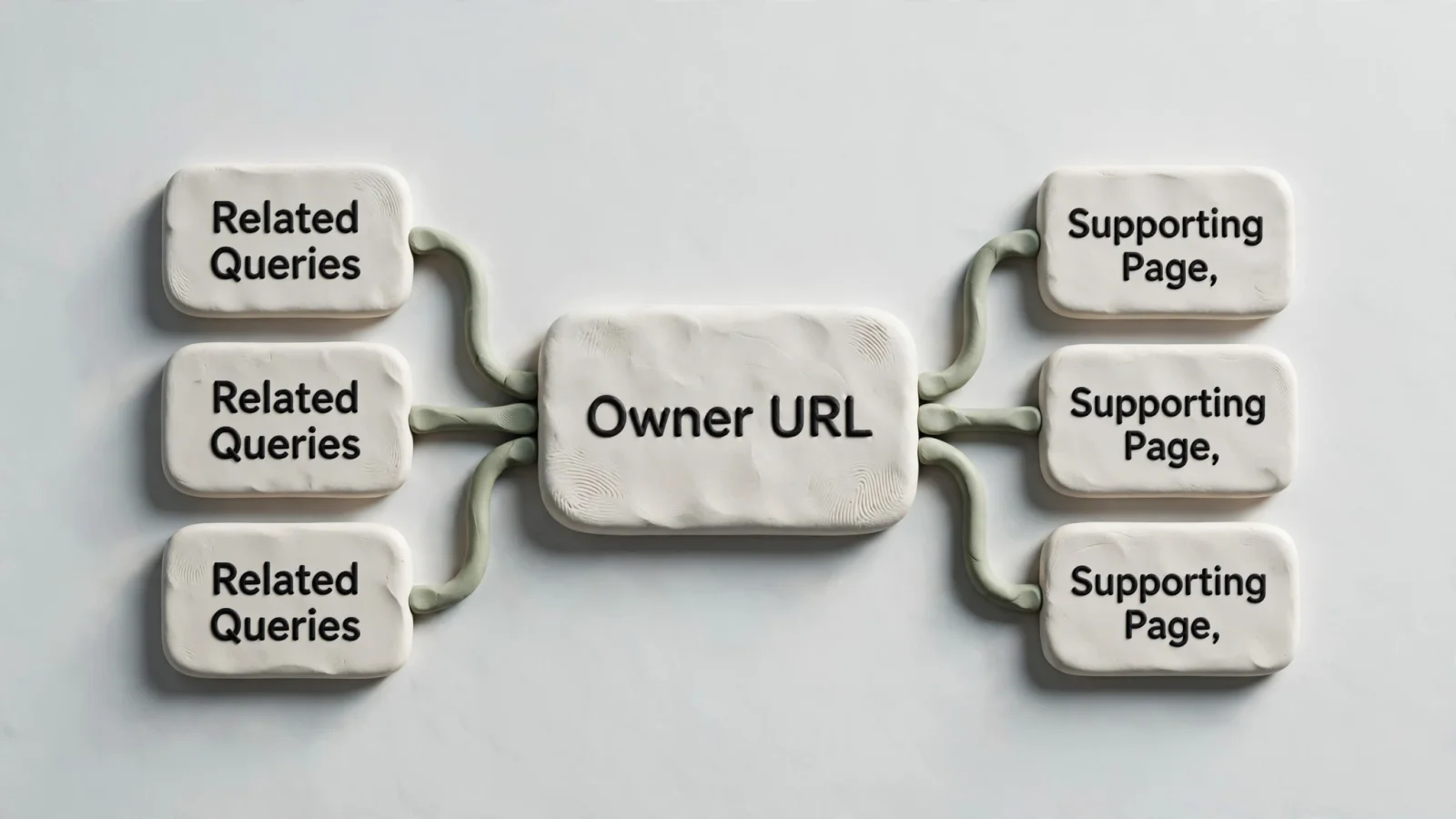
A central owner URL rarely covers every nuance of a broad topic without becoming unreadable, so supporting pages allow you to address specific questions while directing authority back to the main guide. A supporting page earns a separate URL by answering a meaningfully different task rather than targeting a synonym for the same intent.
If searchers want to download a working spreadsheet, a standalone keyword-map template at /resources/keyword-map-template/ serves a distinct purpose. If the template requires little explanation, it belongs as a downloadable section within the main guide instead. Applying this logic across your site requires a firm grasp of SEO keyword clustering, where you separate topics by the reader's goal rather than the phrasing. A process for diagnosing site overlap belongs in a separate article only if your site can support a detailed troubleshooting guide.
Connect these related pages through contextual internal links, which help users and search engines reach relevant content. Google's documentation suggests linking to relevant resources in context and using descriptive link text that explains the destination. Avoid generic anchor text like "click here" or "read more," and describe the specific concept the supporting page covers.
If you use RankPine, the keyword map serves as the approved editorial assignment. RankPine then handles the execution by running automated research, generating the daily article with real citations, and publishing it directly to the CMS. Because the platform automates drafting and posting, the initial mapping phase remains the key human touchpoint for ensuring every published piece has a defined role.

Maintain the map and monitor query routing
An SEO keyword map is a living editorial record rather than a static document you create once and abandon. Revisit the map as you publish new pages and as search performance data accumulates. Checking the map before scheduling a new article prevents redundant assignments and keeps your content architecture clean.
Use Search Console to inspect query-to-page patterns
Google Search Console provides data for checking whether Google shows your intended page for a query, because the Performance report lets site owners filter a specific query to see which pages were shown in search results.
Open the Performance report, click the "+ New" filter button, select "Query," choose "Exact query," and enter your primary topic. Once the data loads, click the "Pages" tab below the graph to view every URL on your domain that earned impressions for that specific search term.
Compare the URLs in that list against your intended owner page. If the assigned owner URL receives the vast majority of the clicks and impressions, your map works as intended. If impressions split evenly across three different blog posts, the search engine struggles to determine which page holds primary authority. Diagnose this overlap with an SEO keyword cannibalization check, consolidating the competing pages or updating their internal links to clarify their distinct roles. Multiple pages appearing for a single query warrant investigation, but they do not automatically indicate a penalty, as a supporting page will sometimes naturally rank for a long-tail variant of the primary query.
Avoid turning the map into a page quota
Publishing automation makes it tempting to treat the keyword map as a volume target, generating a unique page for every minor query variation found in a research tool. This approach floods a domain with thin, repetitive content. A daily publishing schedule builds authority only when each article serves a specific purpose.
Assigning one exact phrase per URL leads to overlapping content and degraded user experience, so always prioritize the searcher's overarching task. If a proposed article does not offer a distinct angle, unique information, or a different format, merge the idea into an existing page. Avoid adding unverified search volume or difficulty estimates to your map. Rely instead on recorded data from specific tools, noting the year to maintain accuracy as trends shift.
Following a strict mapping discipline also supports visibility in modern search environments. While generative engines do not publish exact ranking formulas, Google confirms that foundational SEO practices remain relevant to AI Overviews and AI Mode. A clear site structure with defined topic ownership ensures that eligible supporting pages are indexed and available for Google Search, giving AI platforms a definitive canonical source to reference when answering complex user queries.
Before any new article enters your publishing queue, check it against the map, assign the topic an owner URL, and decide whether to create, update, retain, or investigate. A disciplined routing plan ensures every piece of content you produce works to compound your site's authority.
Ready to put your content strategy on autopilot? Once your keyword map is built, RankPine handles the rest. Automate your daily publishing with well-researched, perfectly optimized articles that build organic traffic while you focus on growing your business.